

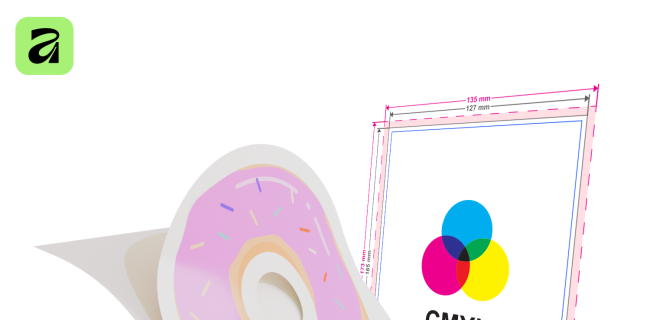
Image credit: Universität Lübeck
Creating Print Files with Affinity: Stickers, Posters, and More
Learn how to create professional print files in Affinity Studio.
When the design capabilities of PowerPoint and Canva reach their limits, it’s time to take it to the next level: professional print files with Affinity Studio! Affinity’s powerful graphics programs are now free as part of Affinity Studio and give you full control over your creative projects.
In this hands-on workshop, we’ll explore why colors often look different on screen than they do on paper (RGB vs. CMYK) and when you should use pixel or vector graphics.
Step by step, we’ll guide you through creating real print files. You’ll learn how to properly handle resolutions (DPI), margins, and bleed. We’ll also look at how to correctly apply the printing specifications from major providers like Flyeralarm or WirMachenDruck and how to create special cutting paths (solid color / overprint) for your own die-cut stickers.
Prerequisites for participation:
- A free Canva account (required to log in to and use Affinity Studio).
- Your own laptop, preferably with a mouse.
- Note: We have a few devices available for loan on-site. If you need one, please be sure to reserve it in advance via email.
Through this course...
- ...you’ll understand the essential technical differences between screen and print design (pixel vs. vector, RGB vs. CMYK, DPI).
- ... you’ll know exactly how to set the bleed and margins correctly so that nothing important gets cut off during printing.
- ... you’ll be able to create your own cut paths with spot colors (overprint) for custom sticker shapes.
- ... you can confidently read the file templates and data sheets from major online print shops (e.g., Flyeralarm, WirMachenDruck) and apply them in Affinity.
- ... you’ll master the workflow to confidently export your designs as professional, print-ready PDFs.
This is the right course for you if...
- You’re already familiar with Affinity Studio but haven’t created your own print files yet.
- are creative, have a finished design, and now want to have it printed professionally and error-free.
Register at: https://dlc.sh/lernangebot/7127?lz=431
Treffpunkt & Anfahrt
Adresse
Digital Learning Campus, Haerder-Center, 1. OG, Königstraße 84-96, 23552 Lübeck

Digital Learning Campus
Cost:
free of charge
- Information
- Rafael Wortmann
- Email address
- rafael.wortmann@uni-luebeck.de
Registration required
Please contact the organizer.
- Registrations at
- https://dlc.sh/lernangebot/7127?lz=431